
How to capture your battery module list in the mySigen app
To verify the battery modules installed on your system, we need screenshots of the battery list from the mySigen app. Following the steps below helps us accurately confirm your installation details and avoids delays caused by missing information.
Step 1: Open the mySigen app
Launch the mySigen app on your mobile device.
Step 2: Navigate to the Warranty screen
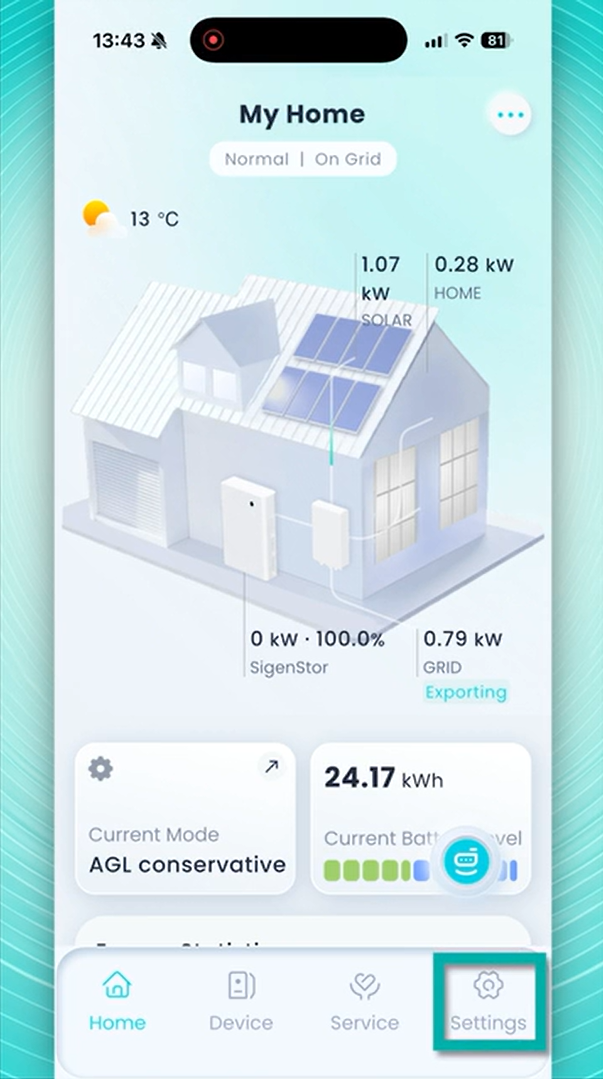
- Tap Settings in the bottom-right corner of the app.
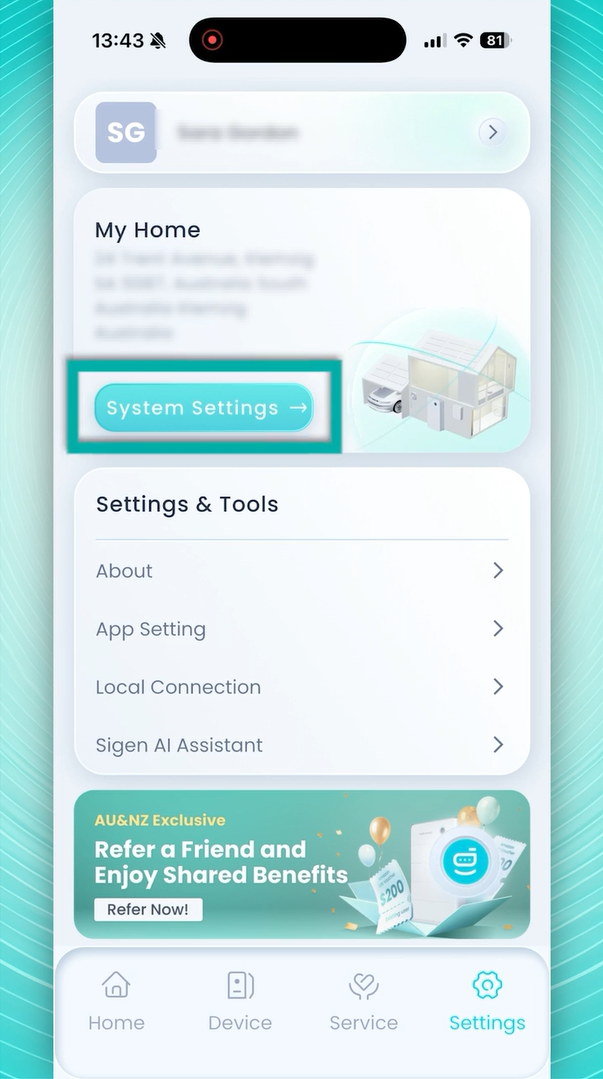
- Select System Settings.
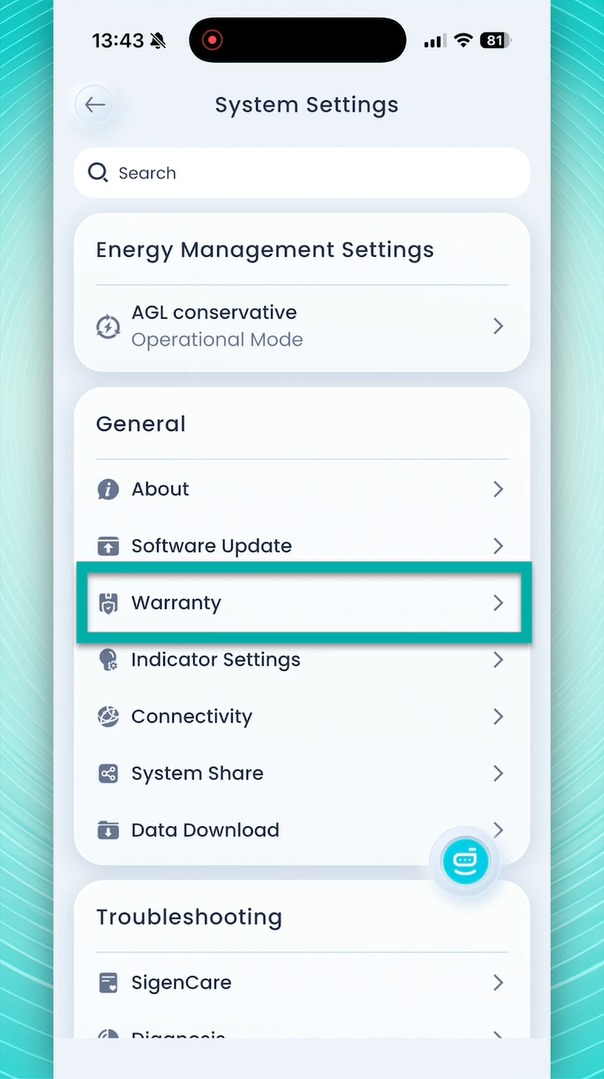
- Tap Warranty.
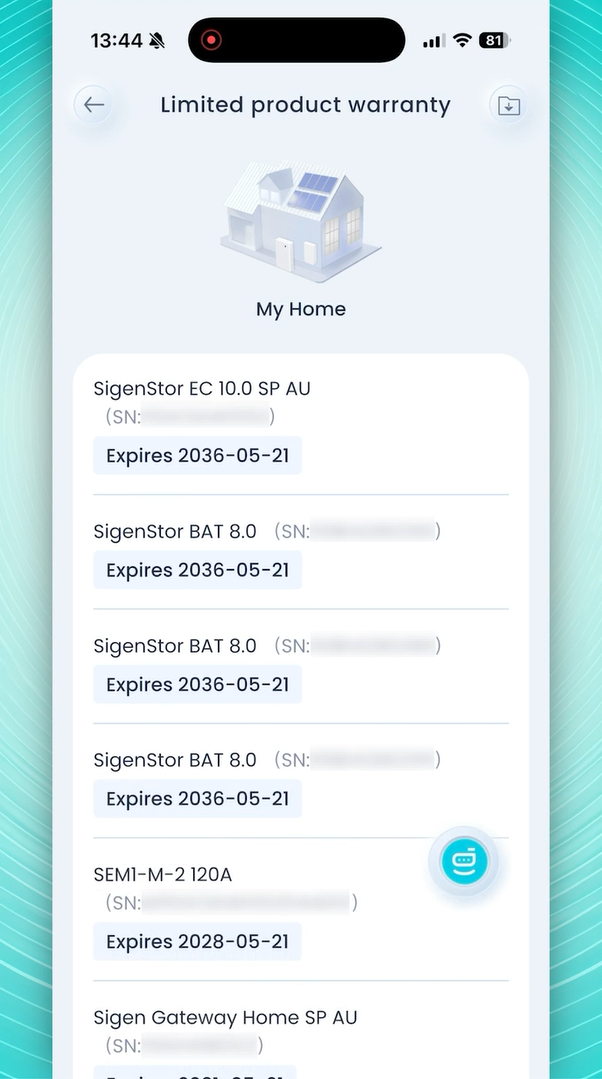
The Warranty screen displays the serial numbers of the battery modules installed on your system.
Step 3: Take a screenshot
Take a screenshot of the Warranty screen showing the battery module list.
If all battery modules are not visible on a single screen:
- Scroll down the list.
- Take another screenshot.
- Repeat until every battery module in the Warranty section has been captured.
Note: Ensure the serial numbers are clearly visible in the screenshot.
Step 4: Upload the screenshots to your webform
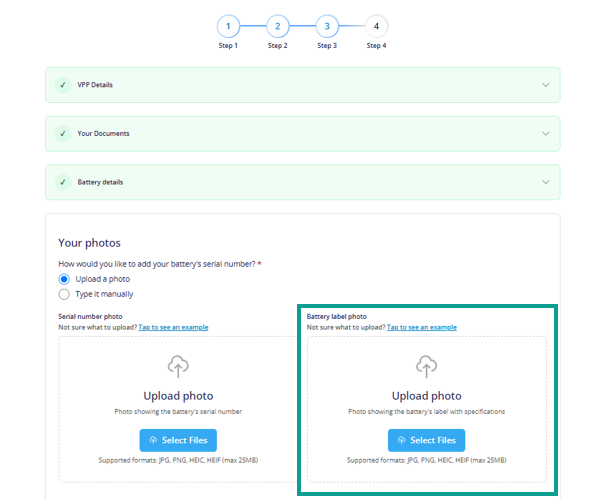
When completing your webform application, please ensure all screenshots are attached before submitting the form.
Important: Include every screenshot required to show the complete battery module list. Missing screenshots may delay the review of your application.
Why we need this information
These screenshots allow us to verify exactly which battery modules are installed on your system. This helps us ensure our records are accurate and enables us to confirm your installation details correctly the first time.
Thank you for taking the time to provide this information.
